QR Codes provide a simple means to share information with others. Anyone with a smartphone can scan the QR to read the encoded contents. To create QR codes easily (and for free), you can use Adobe Express. The personal plan doesn’t cost anything and includes QR code generation capabilities along with other useful features. NOTE: You do not have to use Adobe Express to generate your QR codes. It’s just a simple, free way to do so. If you want to use another QR code generator, that’s OK.
If you don’t have an Express account, you can sign up for the free personal/individual account at https://www.adobe.com/express.
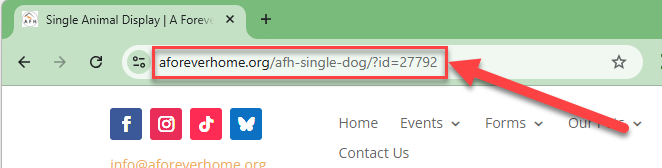
To get the URL for your foster dog’s description, visit our Available Dogs page and click your foster’s picture. Once on the foster dog’s details page, copy the link from the address bar:
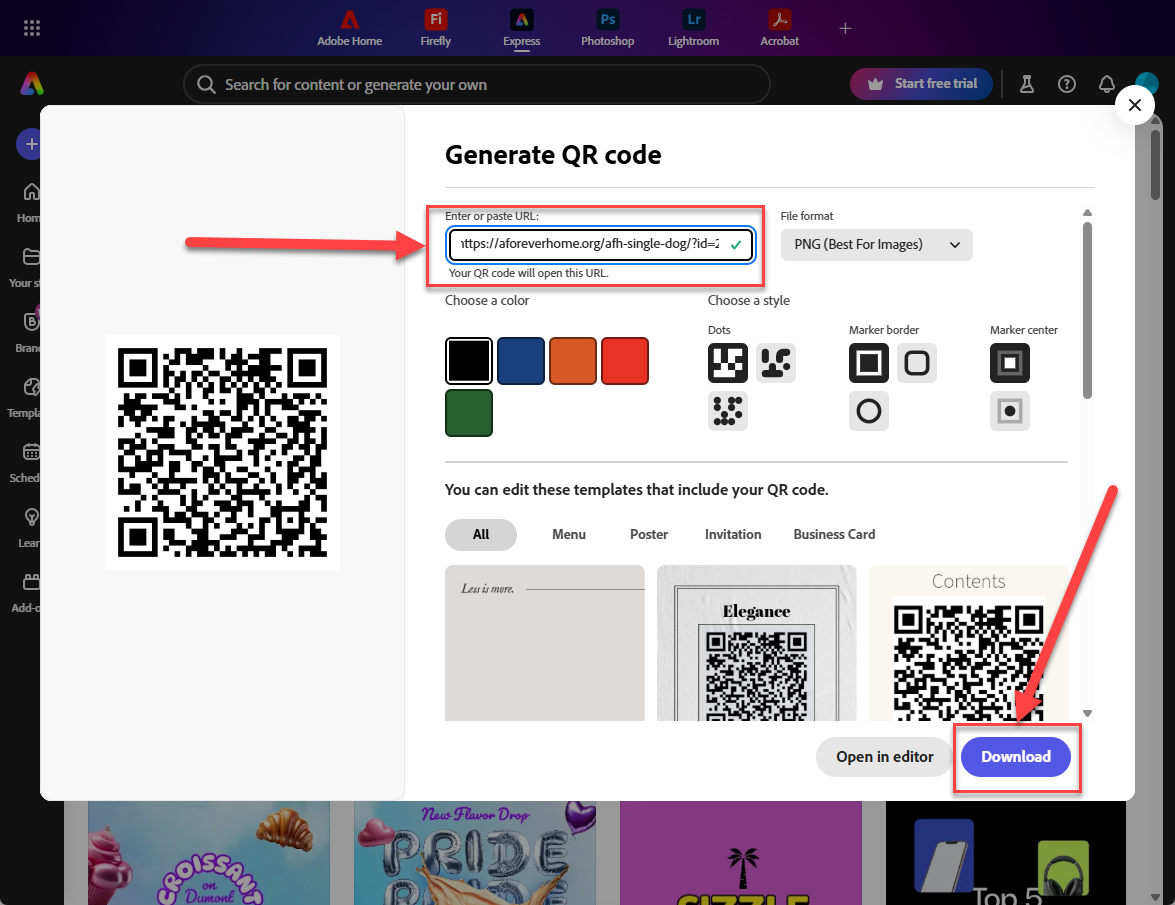
Once you’ve created your Adobe Express account, sign in and select “Generate QR code” (or just use this link: https://new.express.adobe.com/home/tools/generate-qr-code). Paste the address you copied (see above) and paste it into the “Enter or paste URL” textbox. Select your preferred file format (PNG is normally what you want, unless you need to make it very large, then use SVG). You can choose the preferred color and style for your QR code and then click “Download”
Add the QR code to flyers, posters, etc.